
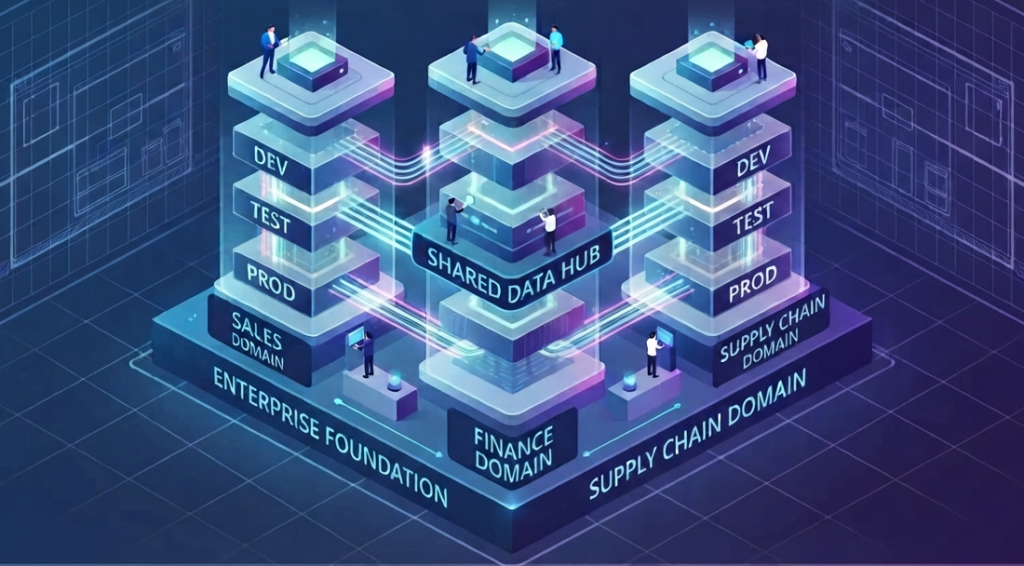
This quick guide establishes the organizational standard for managing Microsoft Fabric within our enterprise environment. By adopting these patterns, we ensure security, maintainability and streamlined CI/CD deployments across all data projects.
1. The Core Architecture: The Environment-Based Pattern
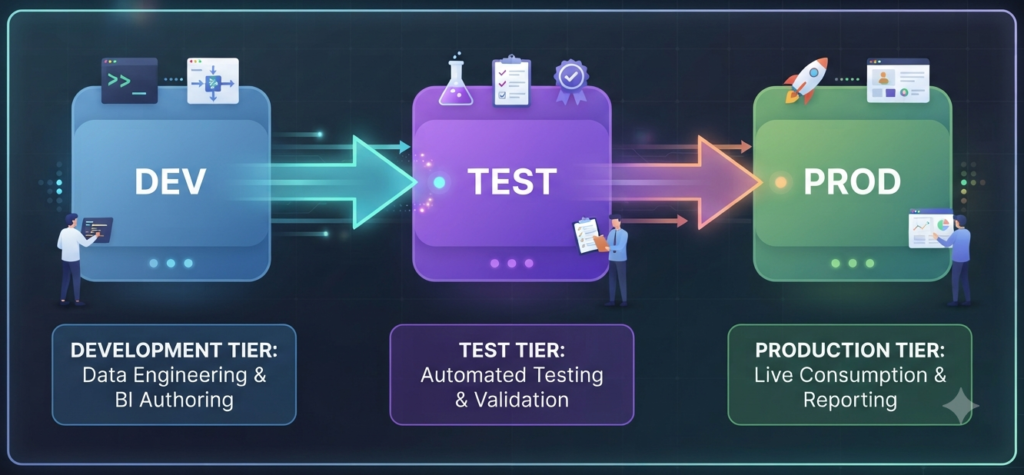
The Concept: Separate environments based on the Software Development Life Cycle (SDLC). Assets should never be developed directly in a Production workspace.
- Real-World Example: Your team builds a “Sales Forecasting” model in
SALES | Forecasting | DEV. Once unit tested, you deploy toSALES | Forecasting | TESTfor stakeholder sign-off, then finally toSALES | Forecasting | PROD. - Struggles & Challenges: Teams often struggle with “Production-itis,” where developers make “quick fixes” directly in
Prodto bypass the deployment process. This leads to drift, where yourDevandProdversions are no longer synchronized, causing deployment failures later. - Best Practice: Implement “Deployment Lockdowns” in production workspaces where only the Service Principal has write access.
2. Advanced Strategy: The “Data Domain” Approach
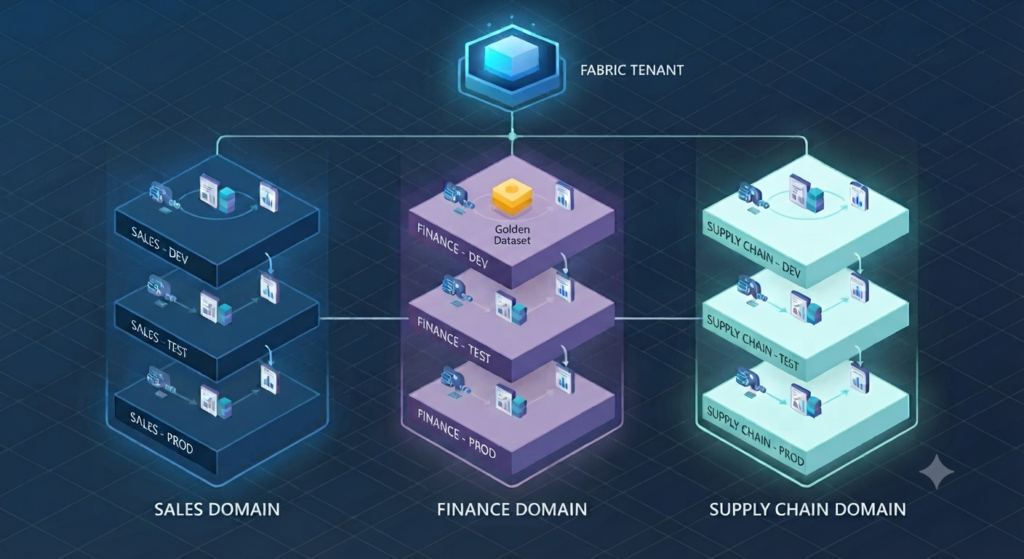
The Concept: Group workspaces by business unit (e.g., Finance, Supply Chain) to decentralize governance.
- Real-World Example: The “Finance” domain manages their
FIN | Payroll | DEVandFIN | Tax | DEVworkspaces independently of the “Marketing” domain. - Struggles & Challenges: The biggest challenge here is “Domain Siloing,” where domains stop sharing data effectively, leading to duplicate data ingestion pipelines (e.g., two domains ingesting the same HR data twice).
- Best Practice: Create a “Data Catalog” or a shared discovery layer so domains can see what data is already available elsewhere before building their own.
3. Project-Specific vs. Shared Workspaces
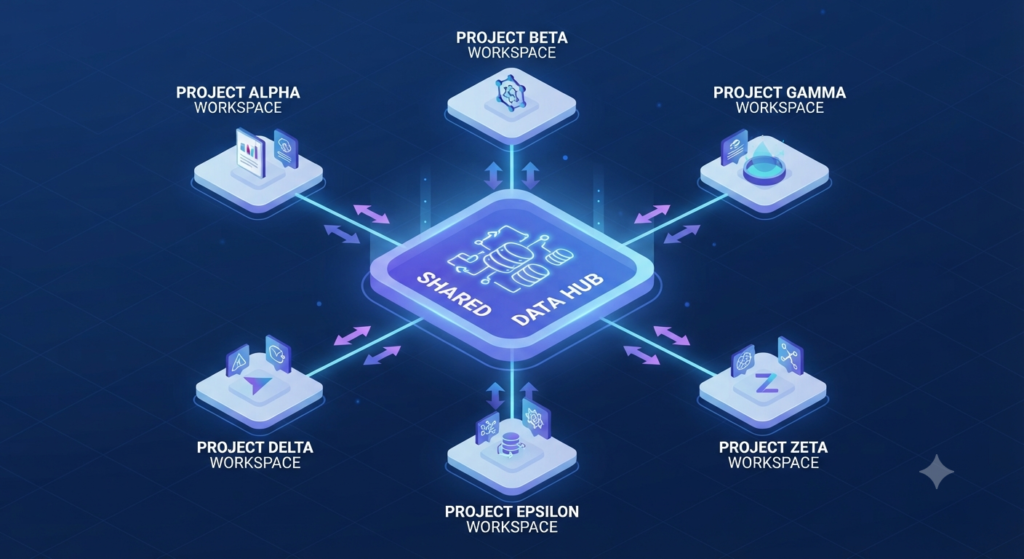
The Concept: Keep “Golden Datasets” in a central hub and project assets in specific workspaces.
- Real-World Example: Your “Master Customer Dimension” resides in
SHARED | MasterData | PROD. All projects connect to this via Lakehouse shortcuts. - Struggles & Challenges: Circular dependencies. If Project A depends on a dataset in Project B, and Project B relies on Project A, you cannot deploy or delete either independently.
- Best Practice: Enforce a strict “Read-Only” rule for shared hubs. Never allow a shared dataset to depend on a project-specific dataset.
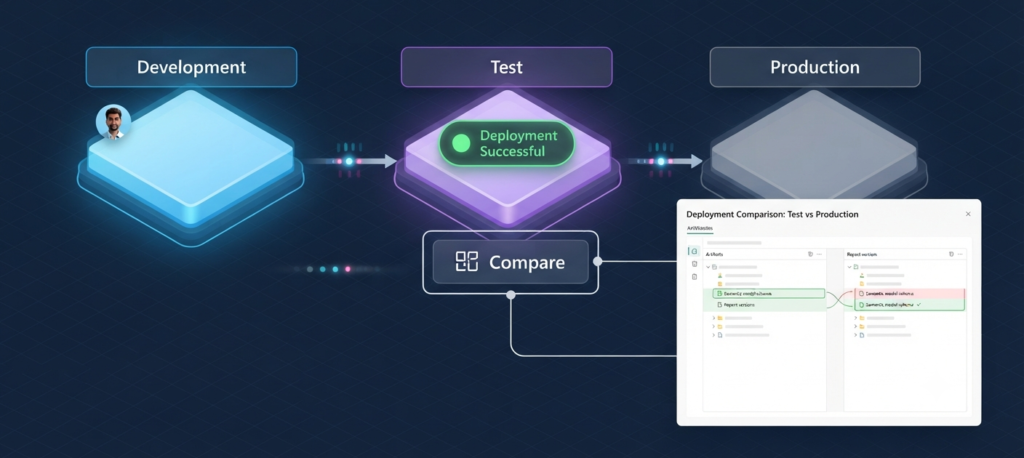
4. CI/CD: Automating Your Release Lifecycle
The Concept: Use Git Integration and Deployment Pipelines for automated, repeatable releases.
- Real-World Example: A developer commits a DAX change to Git. The pipeline highlights the difference between
DEVandTEST, then promotes the change while automatically swapping the connection string to theTESTdatabase. - Struggles & Challenges: Managing sensitive configuration files. Hardcoding paths in your code makes it impossible to move across environments.
- Best Practice: Use “Deployment Rules” to parameterize your data sources so the pipeline does the heavy lifting of environment switching.
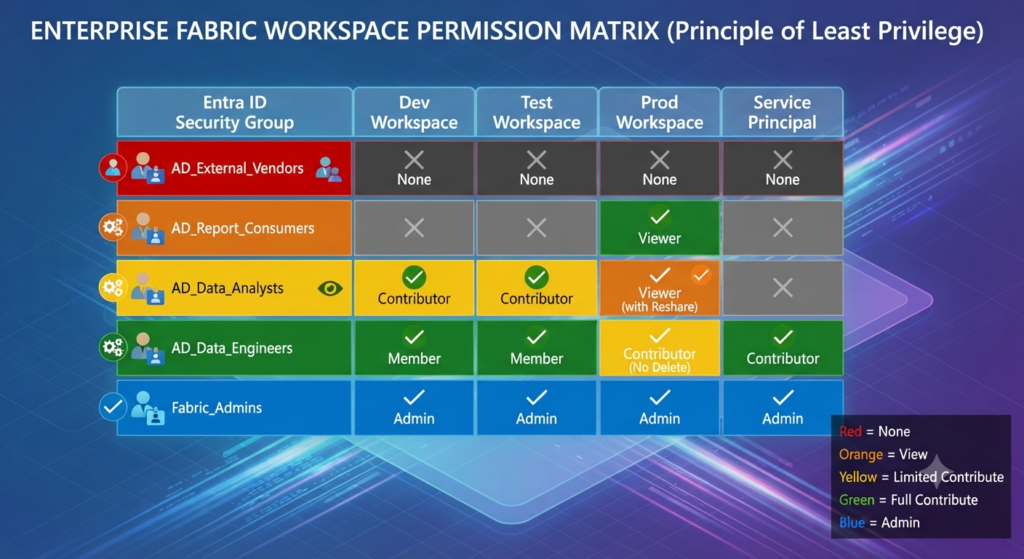
5. Managing Permissions with Microsoft Entra ID
The Concept: Use Entra ID Security Groups to manage access rather than individual users.
- Real-World Example: You add the group
Fabric_Sales_Developersto a workspace. When a team member leaves, you remove them from the group, and they lose access across the board instantly. - Struggles & Challenges: “Permission Creep” – users accumulate access as they move across projects and never lose old permissions.
- Best Practice: Conduct a “Permission Audit” every 6 months to prune inactive users from your Entra ID security groups.
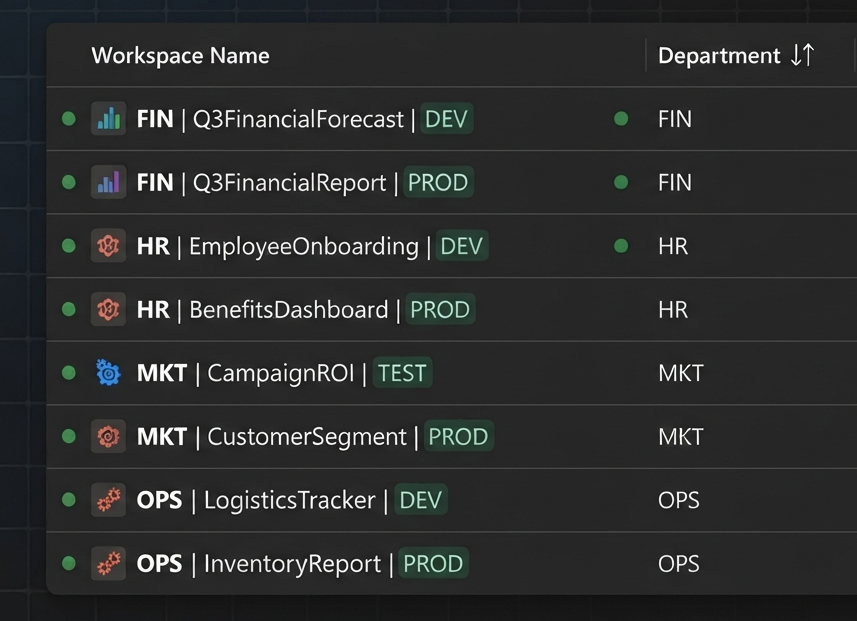
6. Standardizing Naming Conventions
The Concept: Use [Dept] | [ProjectName] | [Environment] to maintain order.
- Real-World Example:
HR | EmployeeRetention | DEV,OPS | LogisticsTracker | PROD. - Struggles & Challenges: Teams often ignore conventions, leading to a workspace list filled with “Test Workspace 1” or “Project X,” which are impossible to identify or clean up.
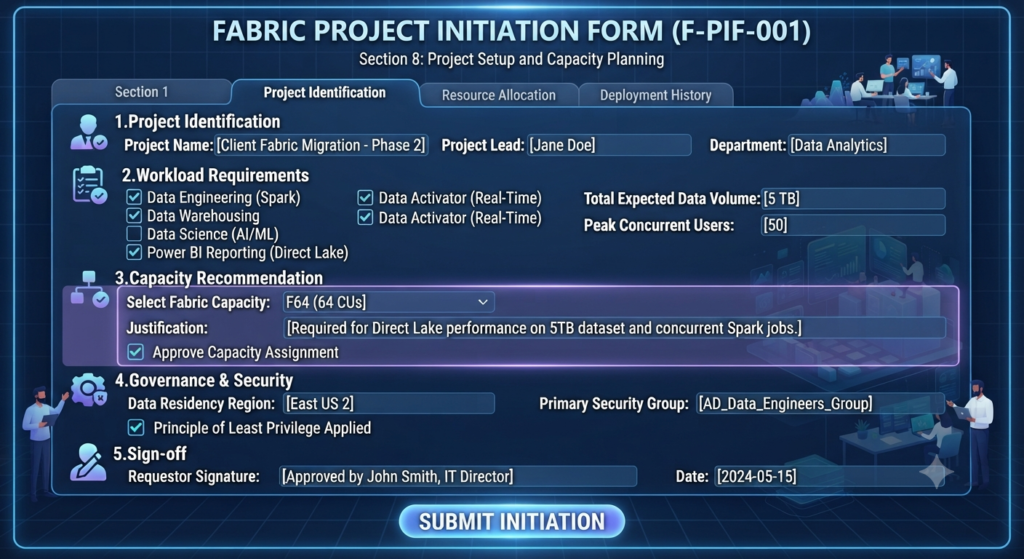
- Best Practice: Build a form to “Request a Workspace”. This forces the users to name it according to the standard before it is created.
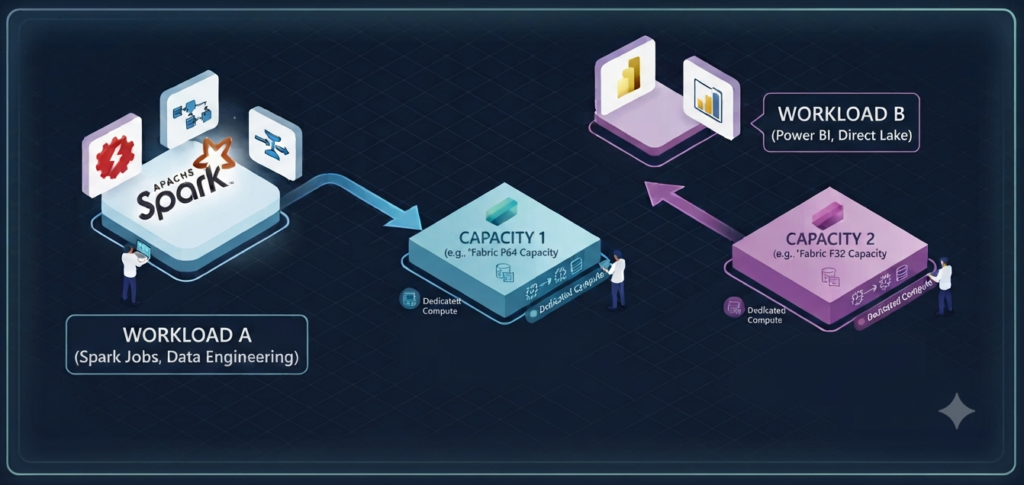
7. Operational Best Practices
The Concept: Keep compute and security lean.
- Real-World Example: Assigning Spark-heavy projects to a dedicated “Compute F-SKU” prevents your BI reports from slowing down during peak times.
- Struggles & Challenges: “Noisy Neighbors” – one massive, unoptimized report can consume the entire capacity’s budget, causing errors for every other project in the workspace.
- Best Practice: Set up “Capacity Alerts” that email the Admin when a workspace consumes more than 20% of the total capacity budget.
8. The “Workspace Maintenance” Checklist
The Concept: Validate every workspace against a set of standards before creation.
- The Checklist:
- Purpose
- Capacity
- Owner
- Git Link
- Security Group.
- Struggles & Challenges: It’s easy to create a workspace, but nearly impossible to know who owns it after six months.
- Best Practice: Include an “Owner” field in the metadata of the workspace description so any admin can see who to contact.
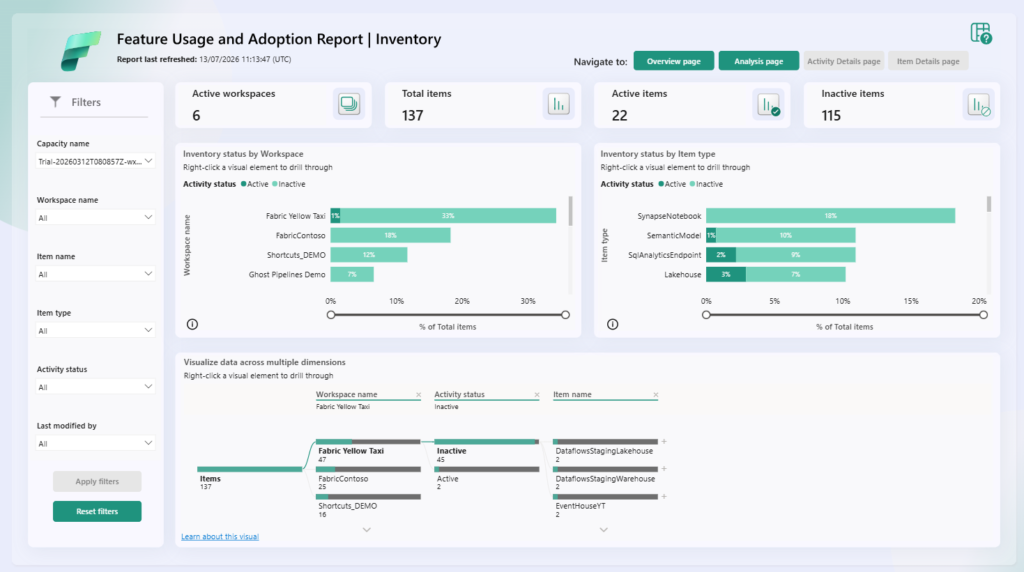
9. Managing “Workspace Sprawl”
The Concept: Actively delete or archive unused workspaces.
- Real-World Example: A Power Automate flow identifies workspaces inactive for 90 days and emails the owner for a confirmation.
- Struggles & Challenges: Fear of deletion. Users often claim they “might need it later,” even if it hasn’t been opened in a year.
- Best Practice: Adopt an “Archive and Purge” policy. Move content to a cold-storage Lakehouse (Archive) for 30 days before permanent deletion.
What Happens When You Ignore Workspace Governance?
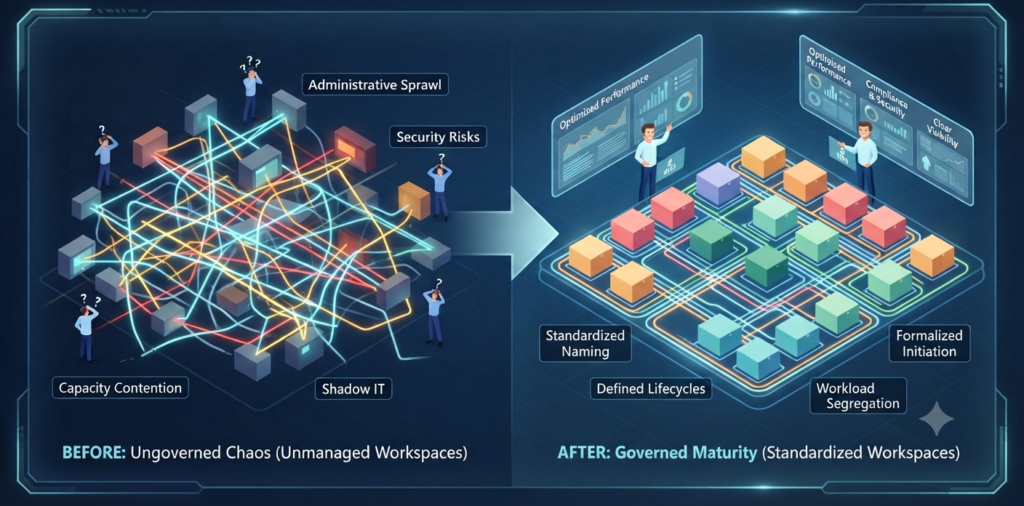
Failing to implement the standardized practices we have discussed often leads to a chaotic environment that scales poorly. When governance is ignored, organizations typically face several common pitfalls:
- Administrative Sprawl: Without standardized naming conventions, the Fabric portal becomes an unmanageable list of ambiguous workspace names, making it impossible to identify, categorize or audit resources effectively.
- Security & Compliance Risks: Inconsistent ownership and lack of defined development tiers often result in production-level data being exposed in testing environments or worse, unmanaged workspaces where sensitive data resides without proper access controls.
- Capacity Contention: Without workload segregation, high-intensity processes (like large Spark jobs) can inadvertently consume the resources of critical business reports, leading to performance degradation and unpredictable costs for the organization.
- “Shadow IT” Growth: When processes are not clear or easy to follow, users often bypass established channels to create their own workarounds, creating fragmented pockets of data that are not monitored or supported by the IT department.
Summary
Governing Microsoft Fabric is not just an administrative burden – it is a foundational requirement for a reliable and high-performing data culture. By prioritizing clear workspace naming standards, enforcing structured deployment lifecycles and mindfully segregating workloads across your capacities, you move from a reactive posture to a proactive, scalable architecture.
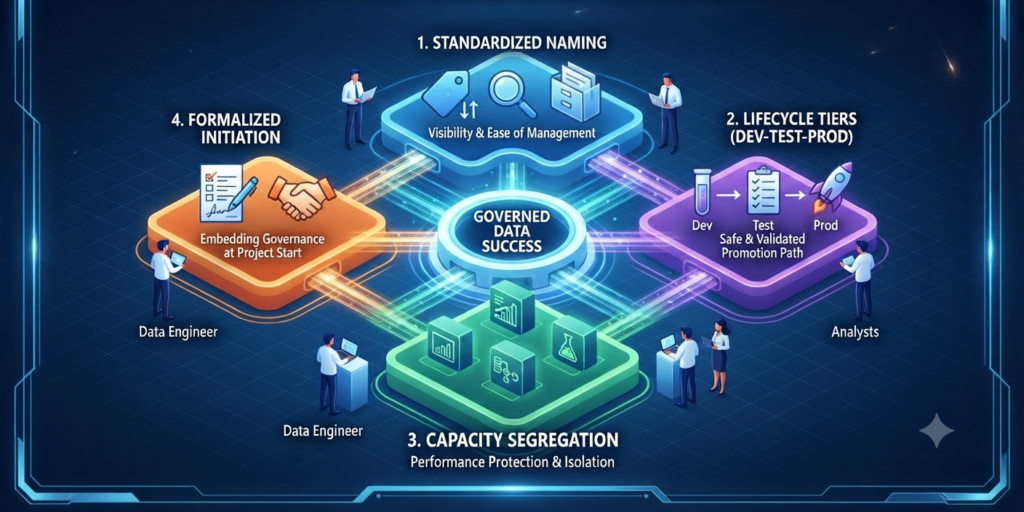
We have covered the importance of:
- Standardized Naming & Sorting: Ensuring visibility and ease of management.
- Lifecycle Tiers (Dev-Test-Prod): Providing a safe, validated path for data and reports.
- Capacity Segregation: Protecting performance by isolating workloads.
- Formalized Initiation: Embedding governance into the very start of every project.
As you begin applying these principles, remember that governance is an iterative process. Start small, communicate these standards to your team and use the Fabric Admin Portal to periodically audit your progress. By building these habits today, you are setting your organization up for long-term success in the cloud.
Pro-Tip: Before creating a new workspace, always ask: “Does this require a different security boundary, or a different deployment lifecycle?” If the answer to both is “no,” it likely belongs in an existing project workspace rather than a new one.
What is the biggest bottleneck you’ve encountered when trying to scale your data projects in Fabric?