

One of the greatest things about attending FABCON in Atlanta recently wasn’t just the incredible community or the deep-dive sessions – it was those “aha!” moments during the keynote announcements. Among the many massive reveals, there was one specific update that caught my attention as a massive “quality of life” win: the SharePoint Site Picker (Preview).
For anyone who works between SharePoint and Fabric daily, this was easily one of my favorite announcements of the conference. Here’s why it’s a game-changer.
The End of the “URL Tax”
If you’ve ever had to connect Fabric to a SharePoint file, you know the drill. You leave Fabric, go to your browser, find the site, copy a technical URL and paste it back into Fabric. If you accidentally copied the library path instead of the site path, the connection failed.
At FABCON, the team showed us a better way. With the new SharePoint Site Picker, that manual friction is officially a thing of the past.
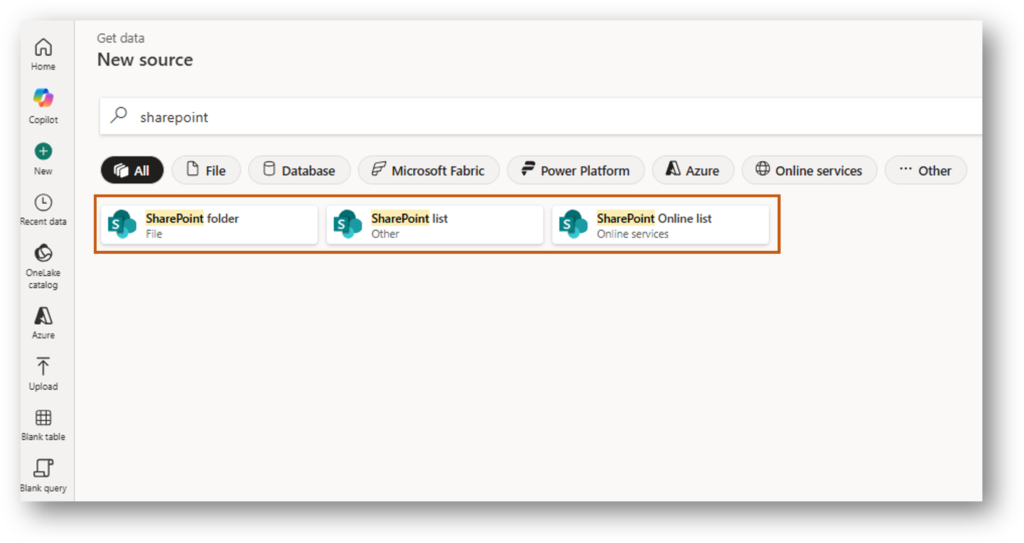
How It Works: Native Discovery
Instead of a blank text box demanding a URL, Fabric now offers a native browsing experience. It feels exactly like navigating your own OneDrive or File Explorer.
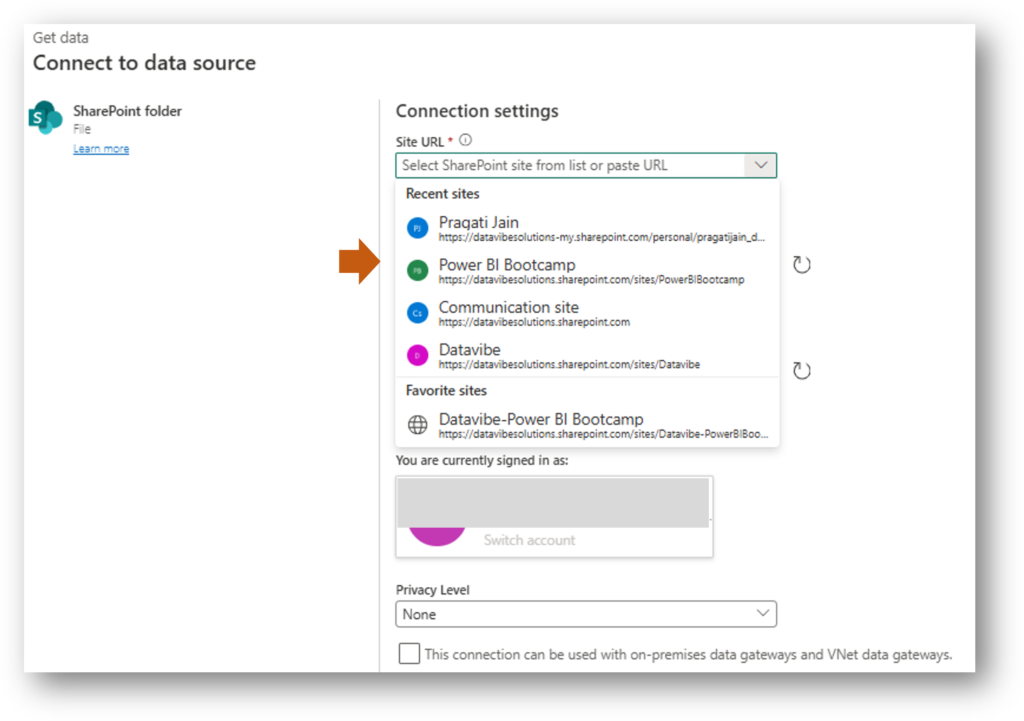
- Automatic Site Listing: Fabric now shows you your Frequent and Followed sites immediately.
- Drill-Down Navigation: You can click into a site, see the document libraries and drill down into folders without ever leaving the Fabric UI.
- Permissions-Aware: It respects your M365 permissions in real-time. If you can see it in SharePoint, you can see it here.
Why This Was One Of My Favorite Announcement
While some announcements focused on massive architectural shifts, the Site Picker solves a “day-to-day” pain point.
- It eliminates typos: No more broken connections because of a trailing slash in a URL.
- It empowers business users: You don’t need to understand SharePoint’s URL structure to get data; you just need to know the name of your project site.
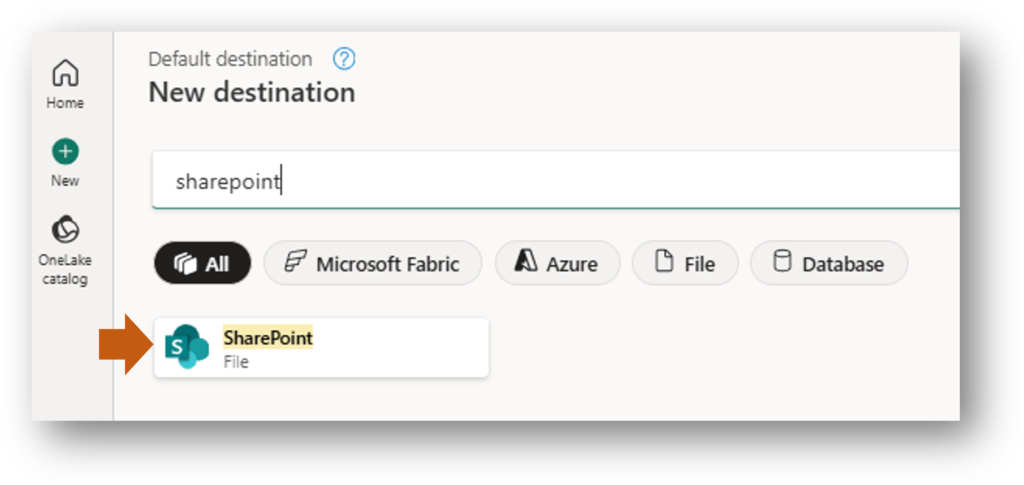
- Integrated Destinations: This isn’t just for getting data! The picker is also rolling out for Data Destinations, making it just as easy to write results back to SharePoint.
Closing Thoughts from FABCON
Attending FABCON Atlanta made one thing clear: Microsoft is obsessed with removing the barriers between “data” and “action.” The SharePoint Site Picker is a perfect example of that mission. It takes a process that used to take several minutes of tab-switching and turns it into a five-second, point-and-click task.
It is currently in Preview and I highly recommend trying it out in your next Dataflow Gen2. It’s a small change that makes a world of difference. This feature is available in:
- Dataflow Gen2: SharePoint Folder, SharePoint Online List, and SharePoint List sources, plus SharePoint destination.
- Pipelines: SharePoint Online List in source.
- Copy Job: SharePoint Online List in source.
- Lakehouse Shortcut: SharePoint Folder.
More details can be found here on the official Microsoft Blog.
Did you have a favorite announcement from FABCON? Let me know in the comments!