

Introduction: The Double-Edged Sword of Fabric Flexibility
Microsoft Fabric has fundamentally revolutionized how enterprise data teams operate. By unifying data engineering, data science, data warehousing and Power BI into a single Software-as-a-Service (SaaS) platform, it breaks down silos and lets business users move at lightning speed.
However, this democratization of data comes with a massive hidden risk. When workspace creation is unchecked and pipelines run wild, speed quickly transforms into a costly “data swamp.” Unlike traditional infrastructure where compute and storage are rigidly partitioned, Fabric pools your processing power into Capacity Units (CUs). If you don’t govern those capacities, runaway queries, poorly optimized Spark jobs and unmanaged workspace sprawl will quietly drain your cloud budget before finance even sees the bill.
1. The Anatomy of a Fabric Cost Explosion
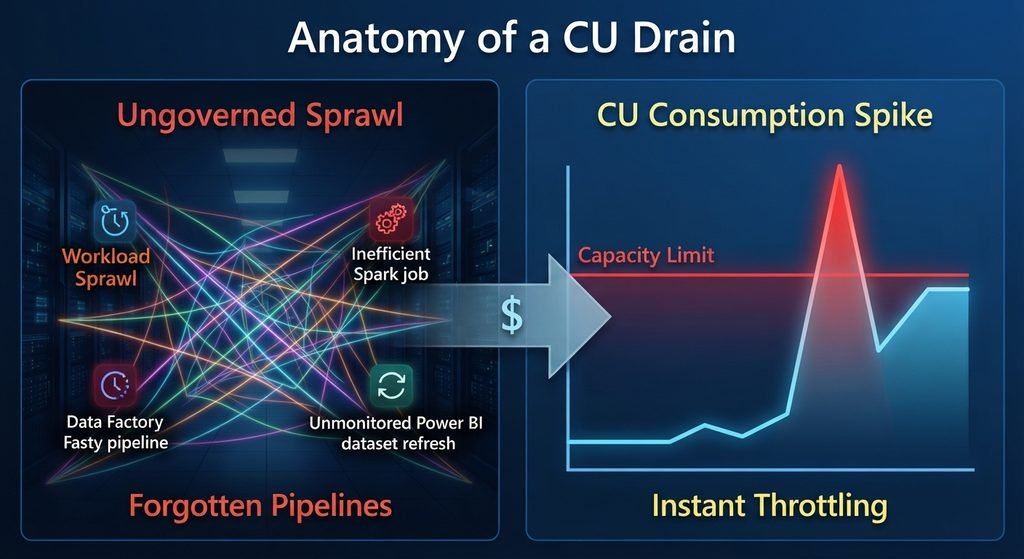
Cause-and-effect visualization demonstrating how unmonitored workspace sprawl and orphaned background pipelines drive sudden spikes in Capacity Unit (CU) consumption.
How Cloud Costs Spiral Out of Control
In a consumption-based SaaS model, expenses aren’t driven just by storage – they are driven by active compute. Without strict guardrails, organizations frequently run into three major financial traps:
- The “Noisy Neighbor” Problem: A single inefficient, ad-hoc DAX query or an unoptimized PySpark notebook running in a shared capacity can consume 100% of the processing power, throttling critical executive dashboards and slowing down the entire organization.
- Orphaned Pipelines & Infinite Loops: Automated data factories and pipelines left running by developers who forgot to turn them off after testing, continuously burning CUs over weekends and holidays.
- Unmonitored Sprawl: Business units spinning up independent workspaces without designated capacity assignments, causing unpredictable spikes when heavy reporting cycles (like month-end financial closing) collide.
2. Real-World Challenges: Why Monitoring is Hard
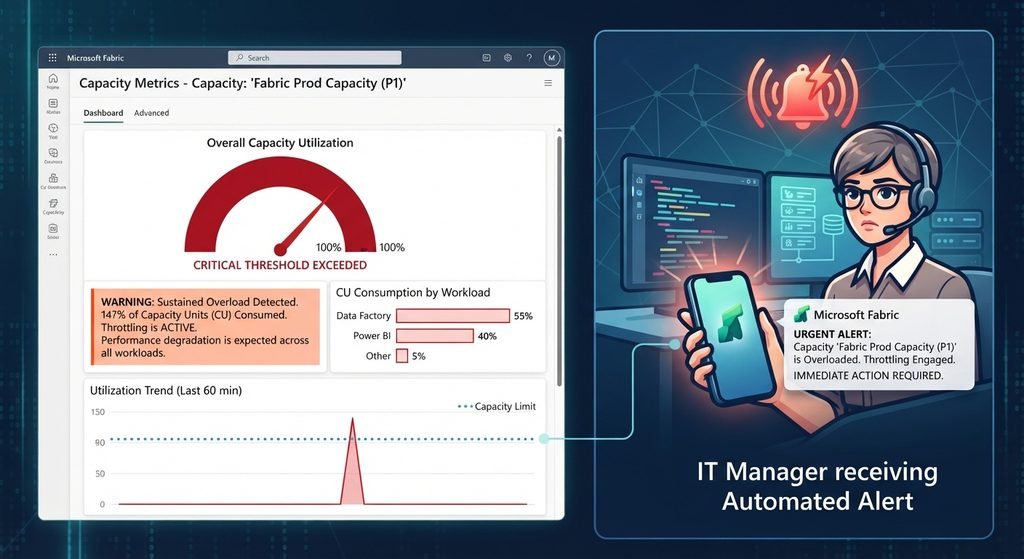
Real-world operational challenges illustrated through capacity metrics app warnings and automated performance bottleneck notifications.
Blind Spots in the Enterprise
Managing compute costs in Fabric is uniquely challenging because responsibility is decentralized.
- Decentralized Ownership: When business analysts build and manage their own workspaces, they rarely think about the underlying cluster compute footprint. They care about insights, not core optimization.
- The Delayed Billing Shock: Because usage metrics update dynamically, teams often don’t realize a workload has choked the capacity until after the performance degradation has already impacted end users.
- Lack of Throttling Transparency: Without proactive alert mechanisms, teams are caught entirely off guard when Fabric automatically pauses or throttles operations due to capacity exhaustion.
3. Best Practices for Fabric FinOps and Capacity Governance
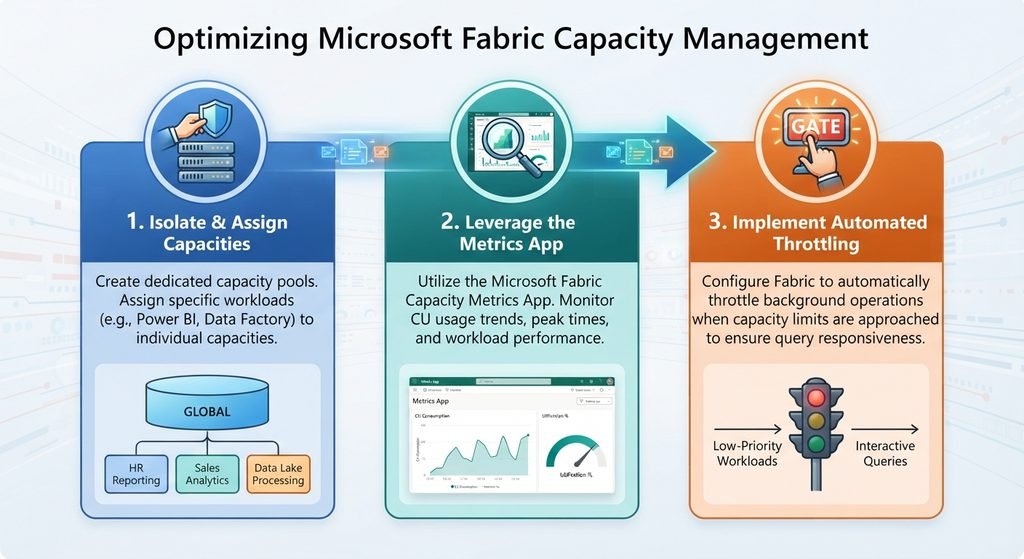
Actionable three-step checklist highlighting core FinOps best practices for establishing sustainable capacity guardrails in Fabric.
Taking Back Control of Your Compute Budget
To keep your cloud bill predictable and your performance lightning-fast, you need to embed FinOps principles directly into your governance strategy.
- Isolate Workloads by Capacity Assignment: Never mix heavy data engineering Spark jobs with executive Power BI semantic models on the exact same capacity tier. Separate your development, test and production workloads to protect critical business assets.
- Master the Fabric Capacity Metrics App: Make it a non-negotiable weekly habit for administrators to review the Microsoft Fabric Capacity Metrics app. Look closely at your Interactive vs. Background CU consumption spikes to pinpoint which specific semantic models or items are dragging down performance.
- Set Up Proactive Alerting and Guardrails: Use Azure Monitor or built-in notification hooks to alert your administrators when capacity utilization hits dangerous thresholds (e.g., crossing 80% sustained usage), allowing you to intervene before automatic throttling kicks in.
- Enforce Workspace Lifecycle Policies: Automatically archive or clean up abandoned workspaces and semantic models that haven’t been queried in over 90 days, saving both storage and compute metadata overhead.
Conclusion: Turning FinOps into a Competitive Advantage

The ultimate goal of Fabric FinOps and Governance – transforming an unpredictable data swamp into a secure, high-performance and economically sustainable analytics powerhouse.
Governance in Microsoft Fabric isn’t just about security clearance lists and data privacy – it is about economic sustainability. By treating your capacity units as a finite, precious corporate asset, you protect your cloud budget from unexpected waste.
When you combine robust workspace structuring, active Purview data labeling and diligent FinOps capacity monitoring, you turn your Fabric tenant from an unpredictable financial black hole into a predictable, high-performance enterprise analytics powerhouse.
What about you? How is your organization currently keeping runaway Capacity Unit (CU) spikes and “noisy neighbor” workloads under control in Microsoft Fabric? Drop your strategies or biggest cost-management challenges in the comments below!