
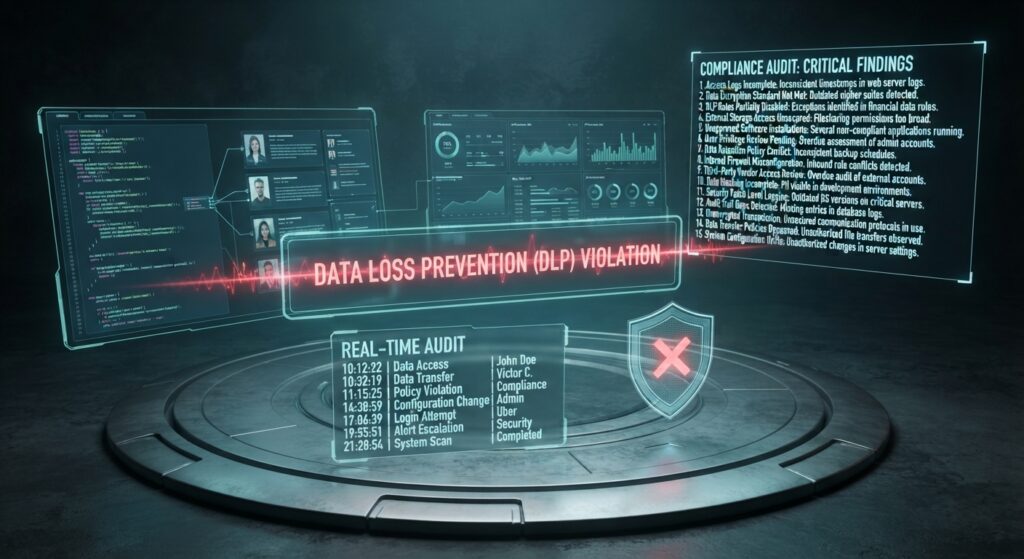
“Setting up permissions and sensitivity labels is only half the battle; the real test of an enterprise data architecture begins the moment hundreds of users start querying, sharing and exporting your data.”
1. Introduction: Moving from Defence to Active Oversight
When we started this series with our look at foundational workspace setup in Governing the Flow: A Beginner’s Guide to Microsoft Fabric, the goal was establishing initial visibility and control. We then advanced into granular data protection in Beyond the Basics: Deep Dive into Microsoft Fabric Row-Level Security (RLS) & Purview Labeling, implementing dynamic filters and automated sensitivity labels.
- The Paradigm Shift: Once those security perimeters are active, your foundational layer is secure – but security is not a static milestone; it is an ongoing operational cycle.
- The Core Challenge: As hundreds of business users query, mash up and export data across workspaces, how do you maintain absolute visibility, catch compliance breaches in real time and ensure that your security guardrails aren’t being bypassed? This stage answers that exact question by focusing on unified auditing, DLP policies and decentralized administrative control.
2. Centralized Auditing and Tenant Visibility
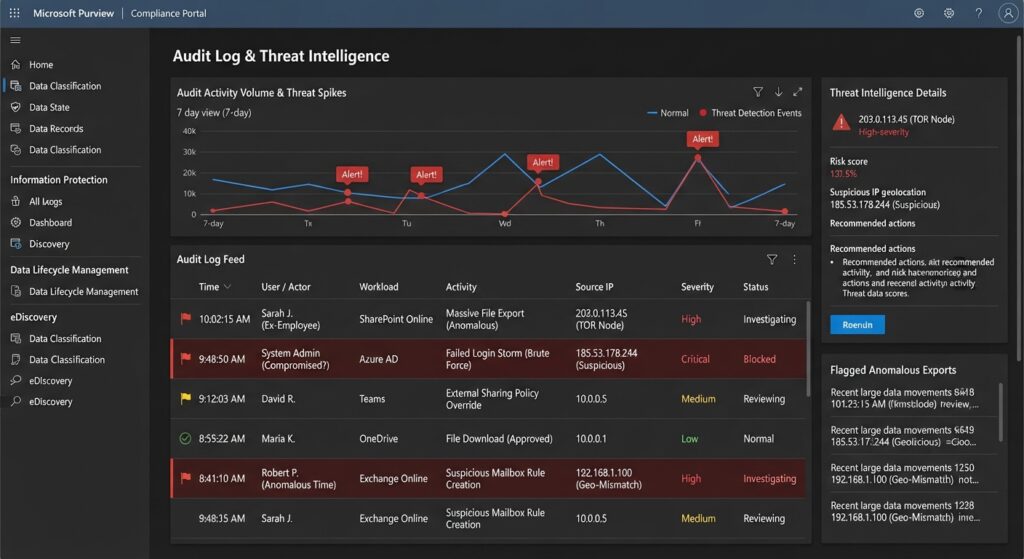
Setting up initial access rules means very little if you cannot verify who is touching your data and when. In Microsoft Fabric, tenant-level visibility builds directly on top of your administrative foundations, integrating deeply with Microsoft Purview and the Microsoft 365 compliance backend.
- Granular Activity Tracking:
- Every user interaction – from workspace creation and dataflow refreshes to semantic model queries and dataset downloads – generates detailed telemetry.
- Administrators can trace specific user actions across items, ensuring complete transparency into who accessed confidential tables or shared reports externally.
- Catching Anomalous Behaviour:
- By monitoring audit logs, security teams can track high-risk patterns, such as mass data exports to Excel or unusual spikes in query volumes from unexpected IP ranges.
- This data can be piped directly into Microsoft Sentinel or Power BI audit dashboards to build automated alert systems for suspicious activity.
3. Real-Time Protection with Data Loss Prevention (DLP) Policies
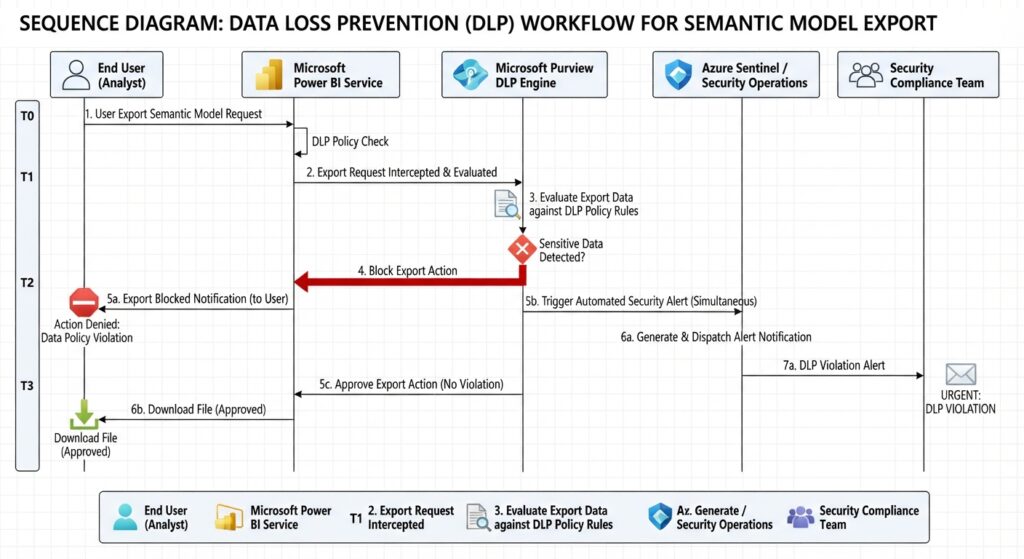
Moving past passive alert logs, modern enterprise data estates require active guardrails that can intercept risk before data leaves the corporate boundary. This naturally complements your underlying labelling and filtering strategies.
- Automated Policy Enforcement:
- Built-in Data Loss Prevention (DLP) Policies in Microsoft Fabric scan your workspaces and OneLake items continuously for sensitive information types (like credit card numbers, financial records, or PII).
- When a policy detects an infringement – such as a dataset with a
Highly Confidentiallabel being shared with unverified external domains – it steps in automatically.
- Mitigation Actions:
- Depending on the severity level, DLP rules can block file downloads, restrict sharing links, strip access permissions, or mandate immediate notifications to both the end user and corporate compliance officers, ensuring zero-day leakage prevention.
4. Leveraging the OneLake catalog and Admin Controls
Managing a massive, enterprise-wide data Lakehouse requires scaling beyond basic capacity and workspace settings.
- Federated Governance via Domains:
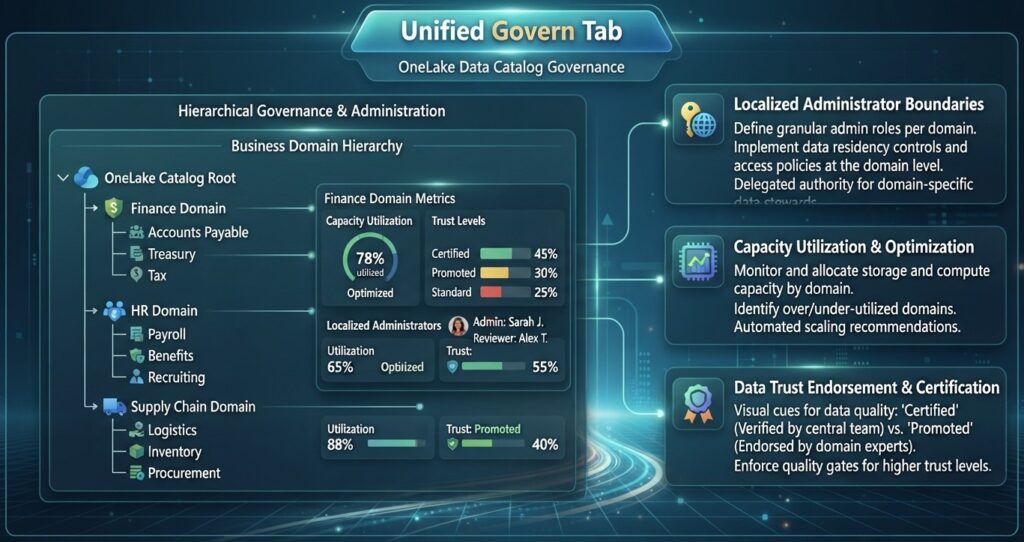
- Fabric allows you to organize your data estate into Domains and subdomains (e.g., dividing workspaces by business units like Finance, Marketing, or Operations).
- This enables a federated governance model where central IT sets global tenant guardrails, but local business unit data owners manage their own granular workspaces, permissions and quality standards.
- The OneLake Catalog Govern Tab:
- Serving as a single pane of glass for data stewards, this centralized catalog interface aggregates insights, recommends security actions, tracks data lineage health and manages endorsement labels (
PromotedversusCertified). - It ensures that business analysts can easily discover trusted, high-quality data while administrators maintain absolute oversight over security states.
- Serving as a single pane of glass for data stewards, this centralized catalog interface aggregates insights, recommends security actions, tracks data lineage health and manages endorsement labels (
5. Summary
Scaling a modern analytics platform requires marrying unhindered business agility with absolute trust and visibility.
- The Full Series Evolution: By taking core setup steps, layering on technical RLS and Purview rules, and finishing with unified tenant auditing and real-time DLP policies here, your architecture achieves complete maturity.
- The Final Payoff: Stage 3 governance transforms your Microsoft Fabric environment from an unmonitored data swamp into a self-policing, highly secure enterprise analytics engine. You empower business units to move fast, safe in the knowledge that automated guardrails and continuous monitoring have compliance fully covered.
How does your organization currently handle auditing, monitoring, and leak prevention across your cloud data estate? Drop your thoughts, questions, or unique challenges in the comments below!
Disclaimer: Images are conceptual illustrations for illustrative purposes only and are not official screenshots from Microsoft Fabric environment.