
“Securing your data isn’t about locking it away – it’s about ensuring the right people see the right insights without compromising the rest.”
In our previous beginner’s guide, we explored how to establish baseline governance, structure your workspaces and set up your core Admin Portal guardrails. If you fancy reading the previous beginner blog, you can refer it here. But once your data estate is up and running, you inevitably run into a critical next challenge: How do you handle data when different people are allowed to see different subsets of information within the very same table?
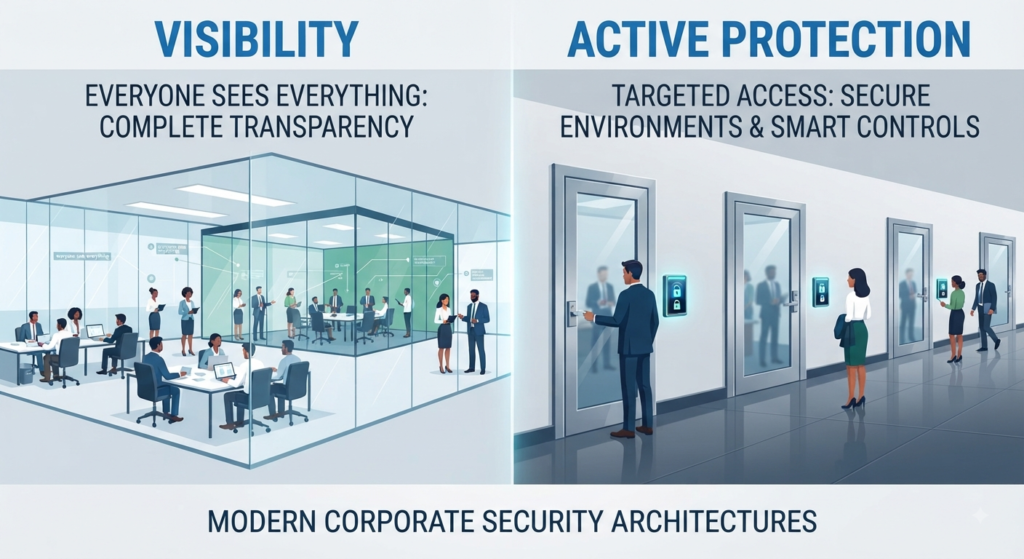
Moving from basic visibility to active, granular protection is the hallmark of Stage 2 on the Governance Maturity Curve. In this deep dive, we’ll explore how to implement Row-Level Security (RLS) and enforce Microsoft Purview sensitivity labels through a visual journey.
1. Introduction: Moving from “Visibility” to “Active Protection”
The hardest part of the data management isn’t ingestion – it’s the controlled distribution. You might have a clean, performant Lakehouse, but if an analyst in Europe can accidentally view payroll data or financial figures meant strictly for North American leadership, your governance has failed.
To prevent this, we must shift from macro-level workspace permissions to micro-level data security using Row-Level Security (RLS) and automated compliance policies.
2. Row-Level Security (RLS) vs. Column-Level Security (CLS)
Before diving into execution, let’s establish our definitions and understand how they complement each other in an enterprise architecture:
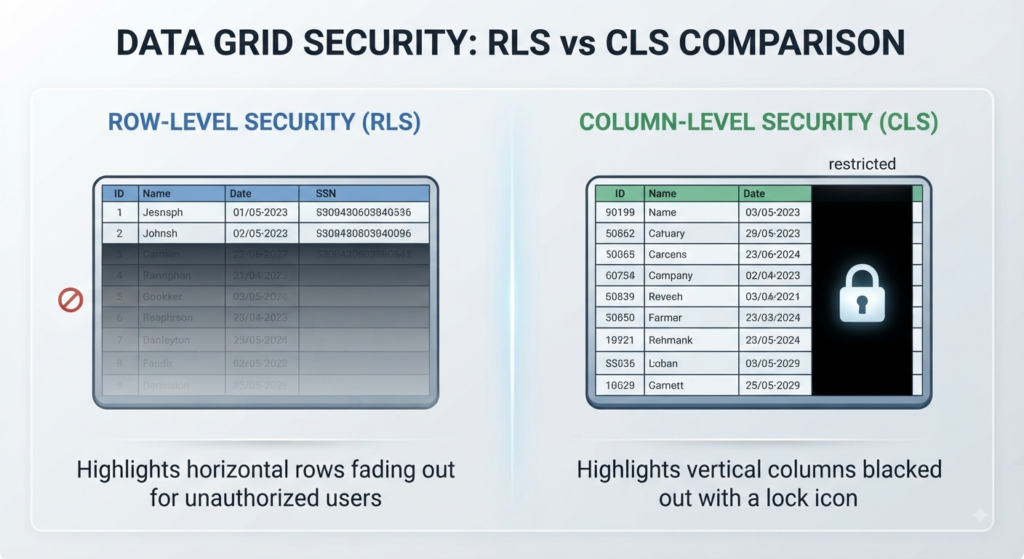
- Row-Level Security (RLS):
- The Definition: Restricts who sees which rows based on user identity or department (e.g., a regional manager only sees sales rows matching their assigned territory).
- How it Works: Evaluates rules dynamically at runtime using security filters. In Microsoft Fabric, this is commonly implemented via DAX filter expressions (such as
USERPRINCIPALNAME()) inside semantic models, ensuring that a single shared dataset can safely serve multiple distinct business units.
- Column-Level Security (CLS):
- The Definition: Hides entire columns containing sensitive attributes (like salaries, social security numbers, credit card details, or PII) from unauthorized user roles altogether.
- How it Works: Acts as a vertical barrier within your data tables. Even if a user has full row access to view all regional sales records, CLS strips out specific columns at the storage or query endpoint level, ensuring confidential fields never render on their screens.
3. Visualizing Dynamic Row-Level Security (RLS)
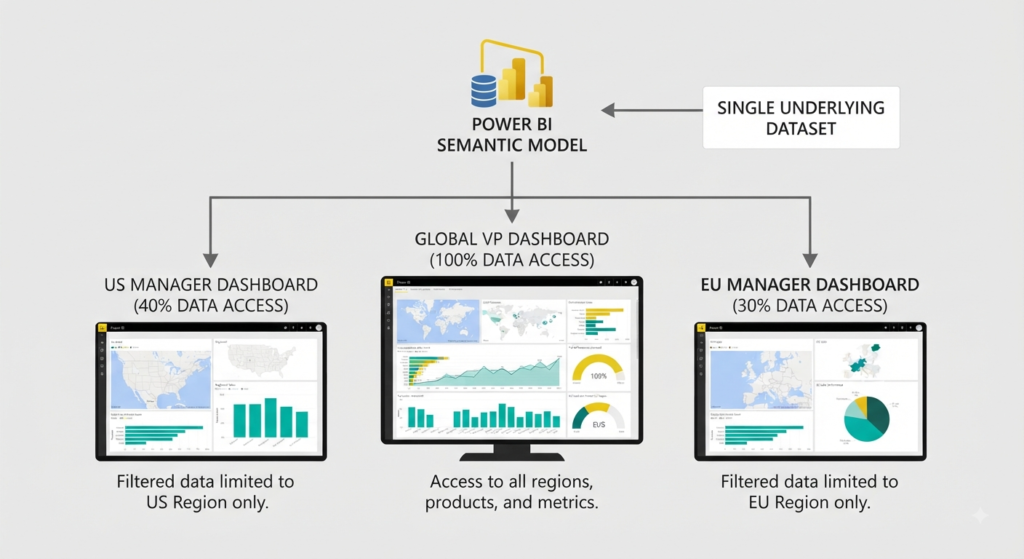
Instead of maintaining separate reports, dataflows and semantic models for every single department or region, RLS allows you to maintain one single source of truth across your entire organization.
- The Architecture of a Single Source of Truth:
- Without RLS, organizations often fall into the “fragmentation trap” – spinning up duplicate PBIX files or separate lakehouse directories for North America, Europe and Asia. This creates massive data drift and update anomalies.
- With dynamic RLS, your Gold-layer semantic model serves everyone. The underlying tables contain global data, but the delivery layer dynamically molds to fit the viewer’s security clearance.
- The Logic (How it Operates at Runtime):
- Using dynamic DAX functions like
USERPRINCIPALNAME()orUSERNAME(), the semantic model evaluates the identity of the person currently accessing the report. - It cross-references this email or user principal against a mapping table (e.g., matching a user to a specific country or cost center) and applies an invisible, automated filter to the query engine before a single visual renders.
- Using dynamic DAX functions like
- The Benefit:
- Massive Reduction in Data Redundancy: You build, optimize, and maintain the data model only once.
- Operational Scalability: When a new manager joins or changes teams, you simply update their group membership in Entra ID (Azure AD) or your security mapping table – no report redesign required.
- Guaranteed Consistency: Everyone across the business looks at the exact same definitions, calculations and metrics; just scoped to their permitted slice of the pie.
4. Automating Protection with Microsoft Purview Sensitivity Labels
Labels in Microsoft Fabric are far more than just metadata tags or visual color-coding for your workspaces. They are intelligent drivers of active, automated security policies.
- From Static Classification to Dynamic Enforcement:
- When you apply a label like
Highly Restrictedto a semantic model, lakehouse or warehouse item in Fabric, it immediately triggers underlying Azure and Microsoft 365 compliance controls. - Instead of relying on users to manually protect sensitive data, the system automatically enforces restrictions – such as blocking unauthorized data exports to Excel or unmanaged endpoints, preventing content copy-pasting and mandating strong encryption for data at rest and in transit.
- When you apply a label like
- End-to-End Lineage & Label Inheritance:
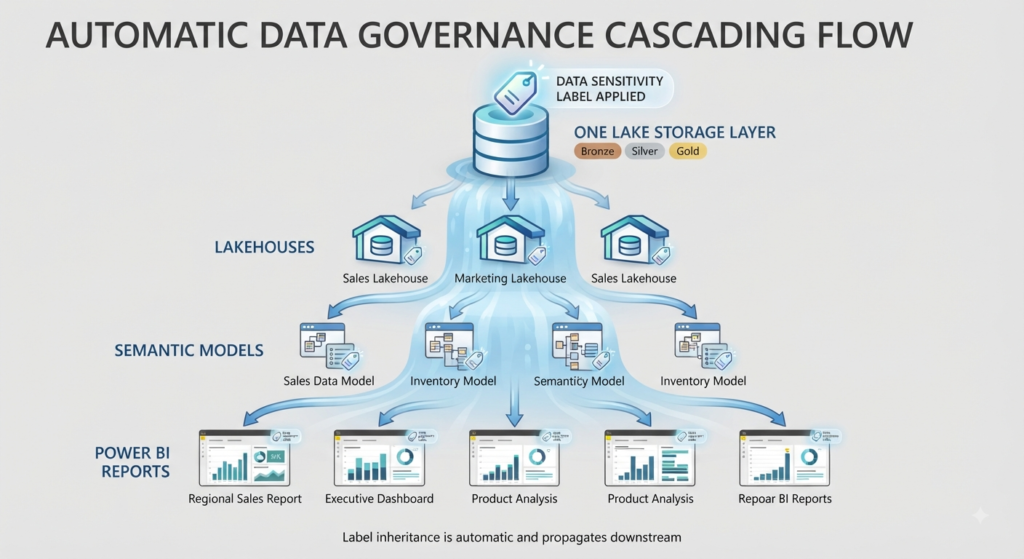
- Security shouldn’t stop at the storage boundary. As data travels through your architecture – transitioning from raw files in OneLake to curated semantic models and finally into Power BI reports – sensitivity labels can inherit and flow downstream automatically.
- This ensures continuous, end-to-end protection across the entire data lifecycle, preventing a secure table from losing its classification when built into a downstream visualization.
- The Governance Payoff:
- By binding Purview governance directly to Fabric compute and storage items, compliance officers can centrally audit access patterns, monitor policy violations and ensure that data privacy regulations (such as GDPR or HIPAA) are met natively without burdening data engineers with manual security overhead.
5. Common Pitfalls in Advanced Data Security
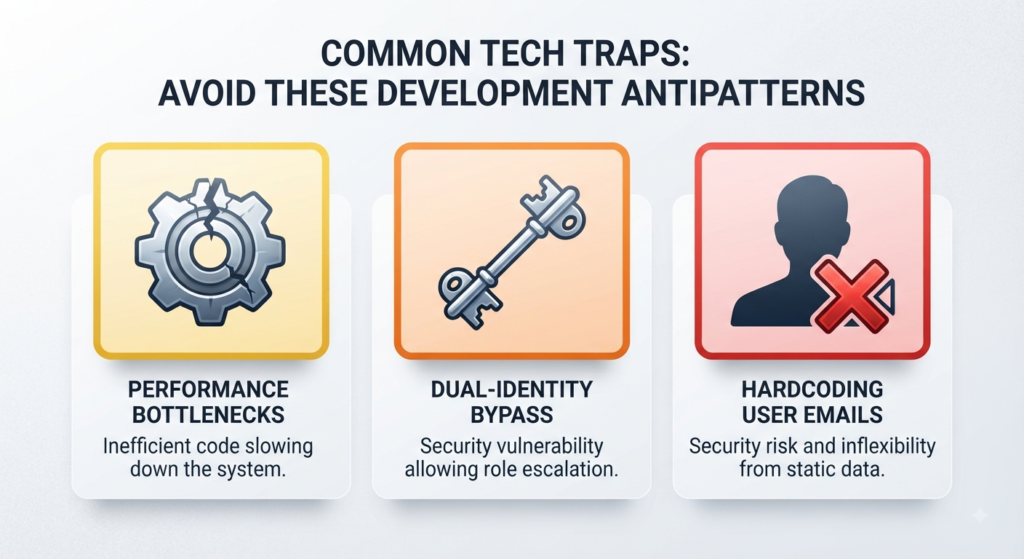
Even with powerful tools like Row-Level Security and Microsoft Purview, implementation missteps and architectural oversight can inadvertently compromise your data estate’s security posture:
- The “Dual-Identity” Trap:
- The Risk: Be extremely careful when configuring on-premises data gateways or administrative service accounts. If an overarching service principal or shared connection credential has master access or bypass privileges, it can unintentionally override RLS filter contexts.
- The Fix: Always verify whether your queries run under effective user identity (EffectiveIdentity) versus explicit master service credentials, ensuring that end-user security tokens are properly passed through to the data source.
- Performance Bottlenecks in DirectLake Models:
- The Risk: Extremely complex, nested DAX security filters can severely degrade query performance – especially in high-scale Microsoft Fabric DirectLake models where memory management is critical.
- The Fix: Optimize your security mapping tables by keeping relationships clean, using star-schemas, avoiding bidirectional cross-filtering where possible and replacing heavy calculated columns in security rules with clean, optimized lookup tables.
- Hardcoding User Emails:
- The Risk: Hardcoding individual user emails directly into your model’s DAX security roles (e.g.,
[Email] = "john@company.com") creates a maintenance nightmare that breaks every time an employee changes roles, leaves the company, or joins a new department. - The Fix: Always map security roles to Microsoft Entra ID (formerly Azure AD) security groups or dynamic mapping tables. This ensures that user onboarding, offboarding and departmental transfers are handled natively through enterprise identity management without requiring continuous manual updates to your Power BI semantic models.
- The Risk: Hardcoding individual user emails directly into your model’s DAX security roles (e.g.,
6. Summary
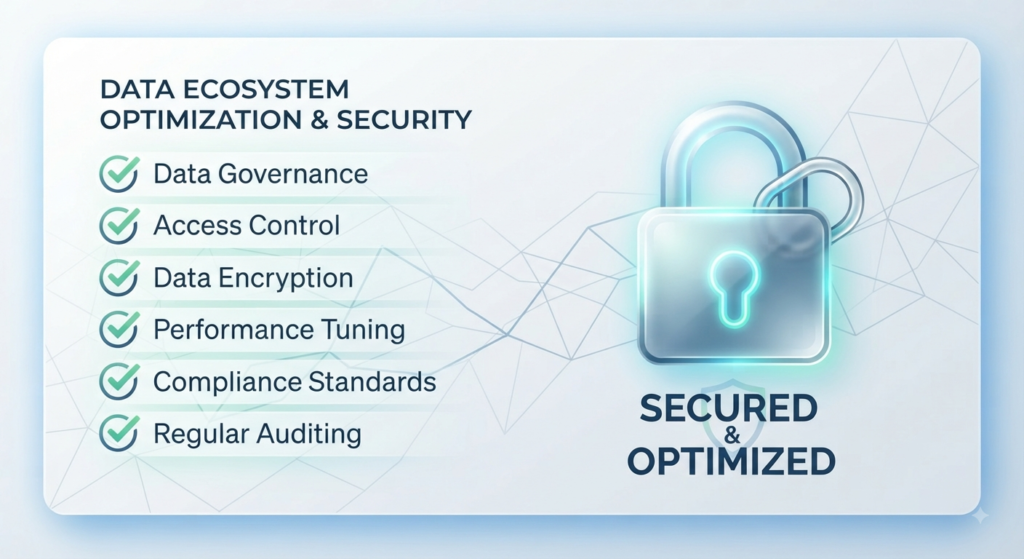
Transitioning from basic workspace setup to active, granular data protection is what separates a chaotic, high-risk data environment from a secure, enterprise-ready analytics engine.
- The Journey Completed:
- Moving up Stage 2 of the Governance Maturity Curve means shifting away from simple visibility and perimeter defense toward active, deep-layer data security.
- The Power of Integration:
- By thoughtfully combining Row-Level Security (RLS) to manage who sees specific table rows, Column-Level Security (CLS) to block confidential attributes and Microsoft Purview sensitivity labels to enforce automated compliance policies, you lock down critical assets without fracturing your architecture.
- Balancing Compliance and Agility:
- Utilizing single sources of truth with dynamic runtime evaluation – backed by robust Microsoft Entra ID group mapping rather than fragile hardcoded rules – ensures your organization achieves complete regulatory readiness, data privacy compliance and peak system performance.
- The end result is an agile data ecosystem where security scales effortlessly alongside business growth.
Have you implemented RLS or Purview labeling in your Fabric environment yet? What performance challenges or roadblocks did you run into? Let me know in the comments below!
One thought on “Beyond the Basics: Deep Dive into Microsoft Fabric Row-Level Security (RLS) & Purview Labelling”